


Is KeepVid still working in 2026?
The original KeepVid download service shut down and is no longer operating. It stopped providing downloads in March 2018. Services currently using the KeepVid name shouldn't be treated as the original service.
KeepVid shut down its original video download service in 2018, so it no longer allows users to download videos or audio. For occasional single-video or MP3 downloads, an online downloader is always sufficient. For playlists, 4K videos, batch downloads, or more advanced output controls, a desktop downloader is usually the guaranteed choice. This article compares seven KeepVid alternatives I tested, including their supported downloads, limitations, advertising behavior, and safety considerations.
⚠️ Disclaimer: Downloading copyrighted content from online sites violates the terms of use of the platforms and breaks the copyright protection law. Please download the content you own and are permitted to, or from the public domain.
The original KeepVid online downloading service has shut down. It stopped providing video and audio downloads in March 2018, and any websites or apps that currently use the KeepVid or Keepvid name are not the original or same service.
If you only need to save a single video or for occasional use, a currently tested online downloader is the quickest and most convenient option. But for playlists, multiple links, higher-quality downloads, or regular use, a maintained desktop downloader such as Any Video Converter or 4K Video Downloader+ is usually more reliable. If direct downloading occasionally fails because the platform blocks downloads or the download engine is outdated, a screen recorder can serve as a last-resort backup.
I retested every tool in this guide in August 2026 and recorded its actual output formats, quality limits, ads, redirects, sign-in requirements, and failed cases.
Even though KeepVid stopped operating in March 2018, sites that use the KeepVid name, also called imitation, clone, or fake sites, still appear. However, their relationship to the original site is not always clear. The domain may have changed ownership or may now redirect to another website or page.
If you visit sites similar to or with the same name as KeepVid, be cautious if they ask you to install extensions or software, redirect to unrelated tabs, display multiple misleading Download buttons, request notification permission, or ask you to log in or pay. Although this does not mean every similar site is malicious, stay cautious and only use the sites that passed the tests.
In this guide, a tool qualifies as a KeepVid alternative only if it can parse a video URL, save a playable video or audio file, and provide a reasonably clean experience without excessive ads or suspicious redirects.
For a quick, one-off download, and if you do not want to install software, choose an online tool. If you regularly save videos and audio, download in batch for playlists or from multiple URLs, or need more control over output quality and tracks, choose a well-maintained desktop downloader. If direct downloads are blocked in both online and desktop tools, use a screen recorder to record the video you want to save. Just keep the last option as a fallback.
| What Your Need | Best Option | Why Choose | Main Limitations |
| Download a single video, or for occasional use | Y2mate / Loader.to | Fast and browser-based | May have quality, output formats, and bulk downloads limits |
| Extract audio and save as MP3 | OnlyMP3 | Simple workflow, easy-to-use | Poor audio quality |
| Download playlists or multiple URLs | Any Video Converter | Batch and playlist downloads | You need to install the desktop software |
| Download videos regularly | Any Video Converter / 4K Video Downloader+ / MediaHuman | More stable, advanced controls, and in-time technical support | You need to pay for the advanced features or unlock the daily download limit |
| Download content that requires sign-in | Any Video Converter / 4K Video Downloader+ | Supports authenticated access through your account | Cannot bypass DRM, paywalls, or access restrictions |
| Download multiple or selected audio tracks and subtitles | Any Video Converter / 4K Video Downloader+ | You can choose the available audio and subtitle tracks | You need to pay for this feature |
| All direct download methods fail | Vidicable | No URL parsing required | Possible quality loss; HDR recording was not supported in my test |
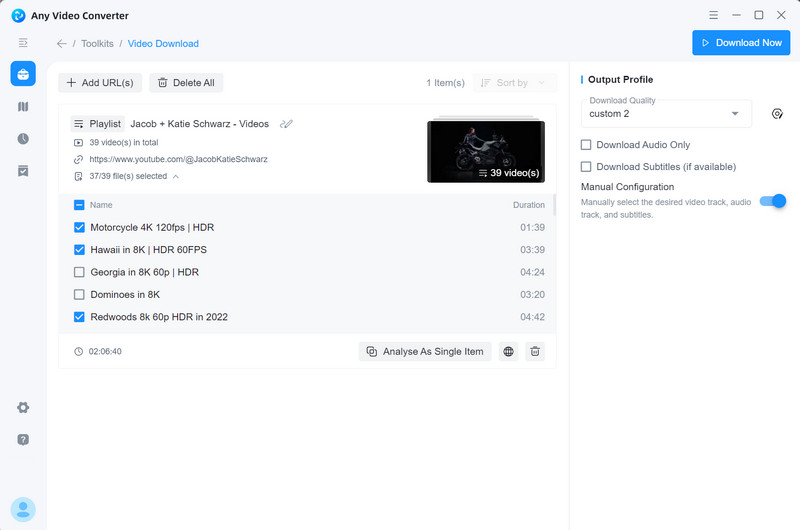
Any Video Converter is a desktop option for downloading multiple videos, playlists, audio tracks, and available subtitles, with more output controls and advanced features than most online downloaders.
I tested tools as alternatives to KeepVid on Windows 11 on March 27, 2026, including the browser-based and desktop versions. The test set included a short music video, a one-hour long-form video, a 1080p video, a video that requires login, a playlist, and a video with subtitles.
The test criteria included URL parsing, successful rate video and audio downloads, file playback, output quality, playlist support, and reasons for any failures. I also recorded free-tier limits, pop-ups, redirects, notification requests, and unexpected installation prompts during testing.
Many sites now offer features similar to KeepVid, but their safety and reliability can be difficult to verify. If you prefer not to install a desktop software, the online tools below successfully parsed and downloaded my test videos. Any ads, redirects, limitations, and failed cases encountered during testing are also recorded. Online services change quickly, so verify the domain and avoid unexpected installation prompts.
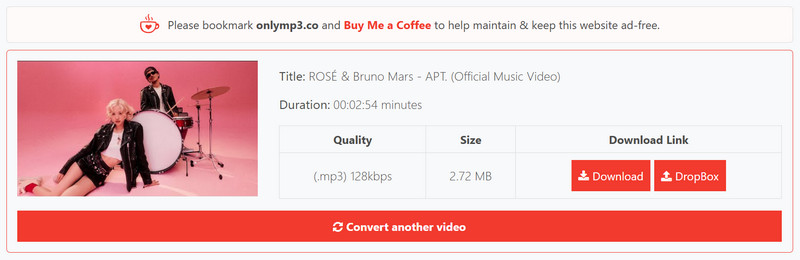
OnlyMP3 is a free online tool for converting YouTube videos to MP3. In our tests, it successfully parsed the selected YouTube URLs, and the downloaded MP3 files played normally in foobar2000 and Windows Media Player. I did not encounter ads, pop-ups, suspicious redirects, or unexpected installation prompts during this test. It is a convenient option for occasional MP3 downloads.
 Detailed Reviews on OnlyMP3 >>
| Test Item | Result |
| Standard URL parsing | 5/5 URLs parsed successfully |
| Audio downloads | 5 audio downloaded successfully |
| Output quality | MP3 in 128 kbps |
| 1-hour video | Passed — 1 hour 14 minutes video downloaded successfully |
| Playlist support | Not supported. Error message: Enter a valid YouTube URL |
| Sign-in-required content | Not supported. Error message: Enter a valid YouTube URL |
| Ads and redirects | No pop-ups and redirects encountered |
| Free-version limits | No limit encountered |
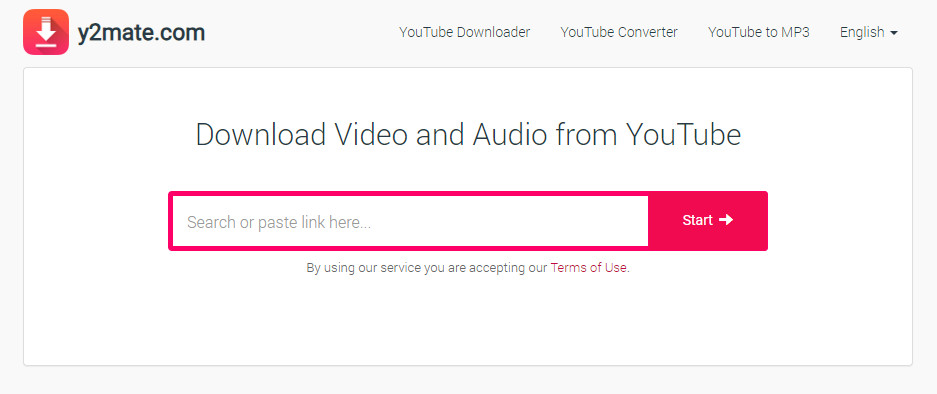
Y2mate supports downloading both video and audio from sites such as YouTube, Facebook, Vimeo, and Dailymotion. In my test, it successfully downloaded MP4 videos at up to 1080p and extracted audio as MP3 files. Audio output is available at up to 320 kbps, but this all depends on the source quality. Selecting a higher bitrate does not improve the original audio quality.
| Test Item | Result |
| Standard URL parsing | 5/5 URLs parsed successfully |
| File downloads | 5 video and audio files downloaded successfully. Forbidden three times, and retrying works |
| Output Video quality | MP4 up to 1080p (if any) |
| Output audio quality | MP3 up to 320 kbps (if any) |
| 1-hour video | Passed — 1 hour 14 minutes video downloaded successfully |
| Playlist support | Parsed in the wrong videos |
| Sign-in-required content | Not supported - failed to parse |
| Ads and redirects | No pop-ups, but three redirects were encountered |
| Free-version limits | No limit encountered |
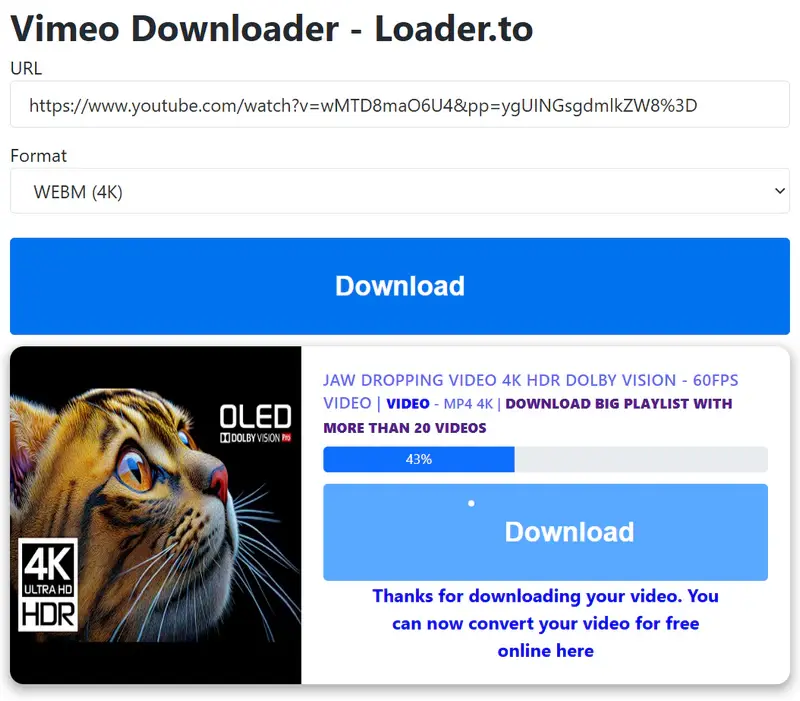
Although each download triggered one redirect in my tests, Loader.to provided a relatively smooth experience, with no download failures or access-denied errors. It was also one of the few tested online tools that offered true 4K video downloads. The downloaded 4K file played normally and contained both video and audio. In addition, Loader.to supports multiple audio output formats, including MP3, AAC, M4A, OGG, WAV, and FLAC.
Real-World Test: Is Loader.to Good Enough? >>
| Test Item | Result |
| Standard URL parsing | 5/5 URLs parsed successfully |
| File downloads | 5 video and audio files downloaded successfully |
| Output video quality | MP4 up to 4K (if any) |
| Output audio formats | MP3, AAC, M4A, OGG, WAV, and FLAC |
| Output audio quality | Highest available bitrate for each format, but the actual quality is limited by the source audio |
| 1-hour video | Passed — 1 hour 14 minutes video downloaded successfully |
| Playlist support | Reject to parse |
| Sign-in-required content | 1 age-restricted video downloaded successfully |
| Ads and redirects | No pop-ups, but two redirects were encountered |
| Free-version limits | No limit encountered |
Based on my testing and user feedback on forums, online downloaders often come with some limitations, like fewer output formats, lower video resolutions, no support for playlists or batch downloads, etc. Their availability can also change suddenly without notice: domains may move, features may stop working (like 4K downloads), or services may even shut down. What's more, if widespread download failures happen, online tools may also take longer to recover as they often lack regular updates and responsive technical support.
For frequent or advanced downloading needs, a reputable desktop application or a well-maintained open-source tool such as yt-dlp generally provides more features, greater control, and more dependable long-term support.
So, which desktop downloaders are reliable and worth considering? The following tools passed my tests and have established user bases.
Any Video Converter has been a trusted and reputable video converter and downloader since 2003, earning the confidence of millions of users worldwide. It is designed for both beginners and professionals who demand high quality, flexibility, and efficiency. It has proven to be a very stable, efficient, responsive, and consistently updated piece of software.
Flexible Playlist Parsing. Process the playlist as a single task, or expand it to view and manage each video individually.
Selective Downloads. Select specific videos to download instead of downloading the entire playlist.
Automatic Playlist Tracking. Track a playlist or channel and automatically download newly uploaded videos.
Automatic File Renaming. Automatically add sequence numbers to filenames to keep downloaded videos in order.
Custom Download Settings. Customize the resolution, frame rate, audio quality, audio tracks, subtitles, and other output settings.
| Test Item | Result |
| Standard URL parsing | 5/5 URLs parsed successfully |
| File downloads | 5 video and audio files downloaded successfully |
| Output video format | MP4 H.264, MP4, MKV |
| Output video quality | Up to 8K (if any) |
| Output audio formats | MP3, M4A, WAV, and FLAC |
| Output audio quality | You can choose the best audio quality, but the actual quality is limited by the source audio |
| 1-hour video | Passed — 11 hour video downloaded successfully |
| Playlist support | Fully supported with advanced features |
| Sign-in-required content | Fully supported, with account authentication in the built-in browser |
| Audio tracks and subtitles | Selectable / multiple |
| Ads and redirects | No pop-ups and redirects |
| Free-version limits | You need to pay for the advanced features |
Any Video Converter tech support is one of the best I have work with. They get back to you immediately and have always resolved my issues. I cannot be more satisfied with my purchase of their fine product backed up by excellent support! Dr. Keller -- from Dr. Keller on Trustpilot
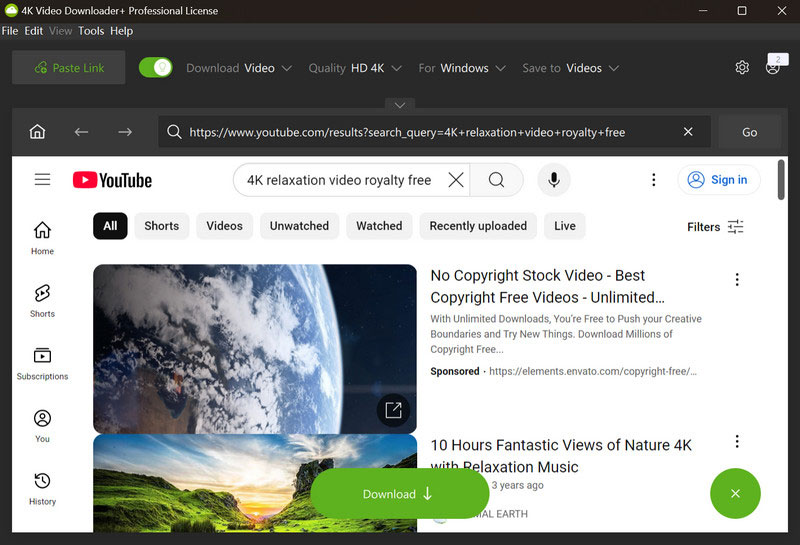
As a dedicated and comprehensive video downloader, 4K Video Downloader+ is a top-tier choice for those who value a powerful yet straightforward tool. While it has its admirers and detractors, like any popular software, its core strength lies in delivering a pure user experience during video downloading. It masterfully balances advanced capabilities within a simple and intuitive interface, ensuring that anyone can achieve professional results with minimal effort.
Dedicated and detailed review of 4K Video Downloader+ >>
Smart Mode. Same as the Custom Mode in Any Video Converter, allows you to customize the download parameters.
Auto Tracking. Subscribe to the playlist and channel to auto-download new videos.
Downloads Management. Organize and manage videos, audio, playlists, channels, subscriptions, and completed downloads.
Flexible Download Controls. Pause, resume, or cancel downloads at any time.
| Test Item | Result |
| Standard URL parsing | 5/5 URLs parsed successfully |
| File downloads | 5 video and audio files downloaded successfully |
| Output video format | MP4, MKV |
| Output video quality | Up to 8K (if any) |
| Output audio formats | MP3, M4A, OGG |
| Output audio quality | You can choose the highest audio quality, but the actual quality is limited by the source audio |
| 1-hour video | Passed — 11 hour video downloaded successfully |
| Playlist support | Fully supported with advanced features |
| Sign-in-required content | Fully supported, with account authentication in the built-in browser |
| Audio tracks and subtitles | Selectable |
| Ads and redirects | No pop-ups and redirects |
| Free-version limits | 10 downloads per day for free users |
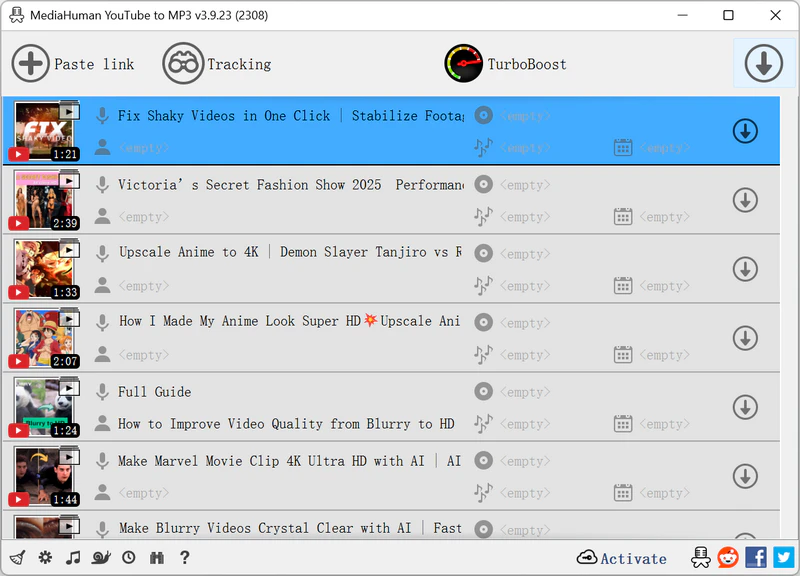
I have tested and shown that OnlyMP3 is one of the best online services to download YouTube videos to MP3, and MediaHuman YouTube to MP3 is a dedicated YouTube to MP3 converter for desktop. Compared with online services, MediaHuman is more stable and faster (in Normal, Boost, and TurboBoost download algorithms). As it is only for YouTube to MP3, it's very easy to use - just paste the link and start downloading.
MediaHuman YouTube to MP3 In-Depth Review >>
Flexible Download Algorithms. You can choose TurboBoost, Boost, or Normal for different download speeds.
Auto Tracking. Track playlist or channel updates and download new videos.
Tag Editor. Modify tags such as title, artist, album, etc., or change the cover image.
| Test Item | Result |
| Standard URL parsing | 5/5 URLs parsed successfully |
| Audio downloads | 5 audio downloaded successfully |
| Output audio quality | MP3 in192 kbps |
| 1-hour video | Passed — 11 hour video downloaded in MP3 successfully |
| Playlist support | Successfully parsed, but I needed to download them one by one |
| Sign-in-required content | Failed to parse. It told me I need to sign in |
| Audio tracks and subtitles | Not supported |
| Ads and redirects | No pop-ups and redirects |
| Free-version limits | 20 free downloads in TurboBoost mode |
As I mentioned, widespread download failures may occasionally happen on both the online tools and the desktop software. You guys must have encountered this, although it is extremely rare. If you come across this circumstance by chance, you may at last try to record the screen as well.
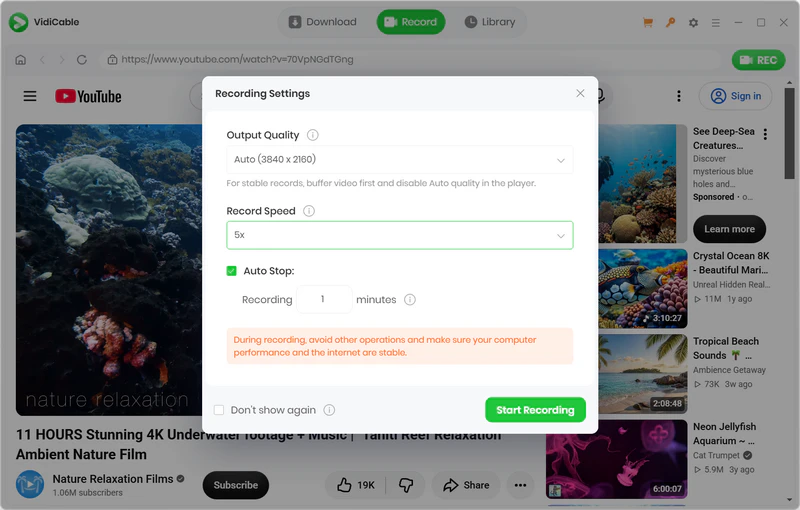
You can use built-in screen recording tools such as Snipping Tool on Windows or QuickTime Player on Mac, as well as the Screen Recorder in Any Video Converter. Another option that I want to recommend today is VidiCable, which combines video downloading and screen recording into a single application. Video downloading is primary, while screen recording serves as a backup. This is the idea behind VidiCable.
Video Downloader. Download videos from both 1000+ sharing sites and major streaming platforms.
Video Recorder. Record video in up to 4K quality, at up to 8x speed, and auto-stop after the set duration.
| Test Item | Result |
| Video capture | Completed successfully |
| Audio capture | Recorded successfully, including the 5.1 surround audio |
| Output format | MP4 |
| Output quality | Up to 4K |
| Long recording | 1-hour recording completed successfully |
| Background recording | Supported, background recording through the built-in browser |
| Main limitation | I need to keep the video playing to ensure it can be captured |
| Ads and redirects | No pop-ups and redirects |
| Free-version limits | Only the first 5-minutes can be recorded for each video |
The original KeepVid download service shut down and is no longer operating. It stopped providing downloads in March 2018. Services currently using the KeepVid name shouldn't be treated as the original service.
This all depends on the service itself, and they can't be evaluated as the same or as one service. Before getting started, check the exact domain, don't download any third-party software or extensions, and be cautious with the malicious redirects, notification permissions, login or payment requests, and misleading download buttons.
For a single video or occasional downloads, a currently tested online downloader (OnlyMP3, Y2mate, Loader.to) may be sufficient. For playlists, multiple URLs, and regular use, a maintained desktop downloader (Any Video Converter, 4K Video Downloader+, MediaHuman YouTube to MP3) is usually the better fit.
If all online downloaders fail to parse your videos, you can turn to the desktop video downloader and make sure it's the latest version. If the desktop software also doesn't work, you can use a screen recorder as a fallback.
KeepVid may have faded into the river, but more KeepVid lookalikes continue to emerge and then disappear. Whether you are a casual user who just wants to download a single video or song, or a dedicated user who wants to expand their media library, it is wise to mark some reliable online tools and, at the same time, not forget to invest in one or two reputable desktop software programs.
Any Video Converter is 100% clean and safe, ad-free, and privacy-protected, giving you full confidence every time you hit "Download".

Charlie Campbell is an experienced technical documentation writer with a background in software development and a passion for emerging AI technologies. Dedicated to helping readers stay ahead in the fast-paced digital landscape, he combines technical expertise with clear communication to simplify complex topics and keep audiences informed on the latest advancements.